
|
|
|
Products
Follow Us
|
While acknowledging the growing reliance on electronic document formats, let us not forget that printouts still hold their ground in a document life cycle. A single printout can consummate many hours of work. That is why network printout management is considered among primary IT functions. Effective management here can lower office downtime and curb stationery consumption. Centralized monitoring and redirection of print jobs should balance printer workload and ensure smooth unbroken performance on printers across a network. Remote Queue Manager is a network printout solution, which can effectively manage printout workloads. It ensures timely detection of printer errors and overloads and helps redirect print jobs elsewhere. Our print queue manager provides the user with a visual management tool to control print workload across networks. Centralized real-time monitoring and workload management are available from anywhere in a network. No less important is a handy in-depth configuration, which enables you to deploy Remote Queue Manager equally rapidly on a print server and a client desktop. After establishing a connection to a printer, the printer manager will be receiving detailed real-time updates on the printer's status and queued jobs. Main Features
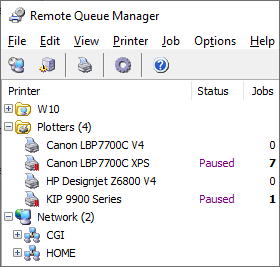
Printer FoldersRemote Queue Manager introduces the Printer Folders feature. You can organize your printers by type or by any appropriate filter. For example, you can create folders for your plotters, color printers, and black and white printers. Moreover, you can access the printer installed on any computer on your network and copy it to any of your Printer Folders for quick access. You can also create any domain or computer as a Folder, and just as easily manage them.
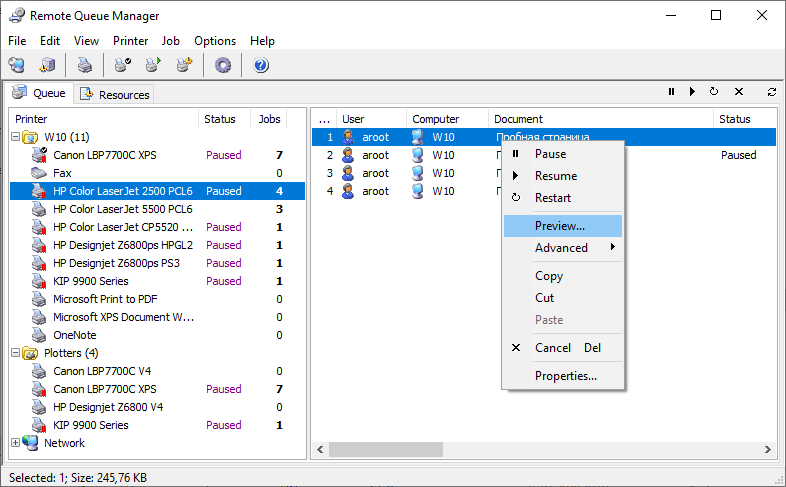
Print PreviewThe feature that distinguishes Remote Queue Manager from other solutions is the access to any file in local and remote spools from the program's interface. Print preview makes EMF files queued in spools accessible in a separate preview window with page selection and zoom support. Now you can see 'the face behind the name' for any document in a queue. You can save the preview EMF image into a file with the same extension or export it to customizable BMP, WMF or JPG formats. Additional edit dialogue enables you to change some of the job properties, such as priority, a notified user, and scheduled print time. Duplicating and Redirecting Print JobsBesides real-time monitoring, with Remote Queue Manager the user acquires a robust tool to control the status of a printer, duplicate and redirect jobs in its queue. The actions are performed on a single printer or a group of printers. These options are available from both the context menu and the toolbar so you won't rack your brain over it. A single click from the menu pauses and restarts any remote printer. One more click duplicates a job or redirects it to another printer. The program's window provides a detailed job description, including the number of its copies queued across the network. You will always know the exact number of document copies waiting in spools.
| Information
 |


| Copyright © 2001-2024. Usefulsoft LLC. All Rights Reserved. |